For a supported robotics hobby
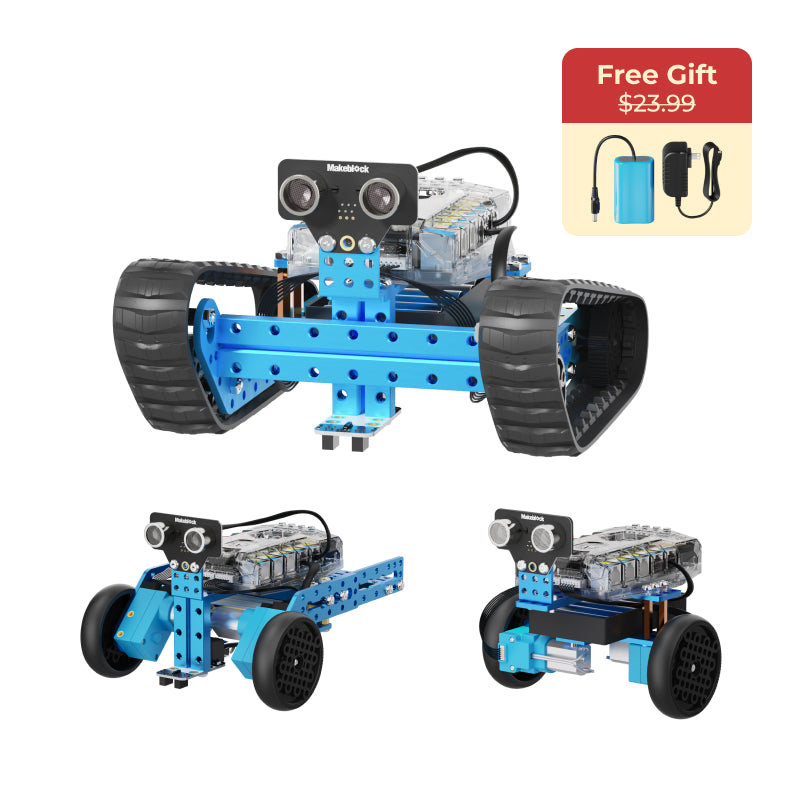
Makeblock mBot2 Coding Robot →Manufacturer: ages 6+; our pick starts at 8
Building and programming the same robot gives an interested child room to refine a project. Choose it when someone can help with software setup and troubleshooting, and check device compatibility first.
Check first: Needs compatible hardware, software setup, and charging
For a patient maker
Klutz Sew Mini Animals →Ages 10+
Sewing a small felt animal turns separate materials into an object to keep. It suits a child who wants to learn a process, with a helper available for needles, cutting and the first stitches.
Check first: Real needles and cutting are involved; keep them away from younger siblings. Count supplies before starting and expect extra felt or floss to be needed for repeated projects.
For a builder who wants to experiment
Ravensburger GraviTrax Starter Set →Amazon listing: ages 8+
A reusable marble system lets the child change a route and test it again. Choose it for open construction and revision, with a clear surface where an unfinished run can stay.
Check first: It spreads out, includes a marble and many parts, and benefits from a clear table or floor area.
For a visual strategy player
Gamewright Shifting Stones →8+ — check the current packaging
Moving and flipping a shared arrangement of tiles makes each turn a new planning problem. It suits someone who can adapt when another player changes the layout; a solo variant is also included.
Check first: Every player changes the same layout, so a planned move may disappear before the next turn.
For a player with a disc-capable PS5
ASTRO BOT — PlayStation 5 →ESRB E10+ (Everyone 10+): Crude Humor, Fantasy Violence
A single-player adventure gives the recipient a world to explore at their own pace. Choose this exact edition only after checking the household's console and whether taking turns will work for siblings.
Check first: Requires a PS5 with a disc drive; not PS4 or Switch; Fantasy combat and crude humor; one player at a time
mBot2 or GraviTrax: what is the practical difference?
mBot2 combines a physical robot with software and device setup, so a willing technical helper and compatible equipment are part of the purchase. GraviTrax centers on arranging and revising a physical marble route, with its main demands in surface space and piece management. Choose the kind of troubleshooting the child enjoys: changing instructions and connections, or changing a track until the route works.
Which pick works best when siblings want to join?
Start by checking the exact game's player modes and every child's age fit. Shifting Stones offers a shared table game; ASTRO BOT is a single-player PS5 adventure and requires taking turns rather than simultaneous character control. A craft or construction project can be shared informally, but the box does not necessarily provide separate tools or a complete project for each child. Agree on how the gift will be used before calling it a joint present.
What if they say they are too old for toys?
Ask about a project, game or interest they would like to spend time on. A making kit, construction system or strategy game may fit better when presented as something to do. Avoid assuming that every eleven-year-old wants a screen or an advanced technical project.
What extra costs should I check?
Robotics can need a compatible device, charging and software setup. Craft projects may need replacement materials, while a video game needs the correct hardware and format. Check the full buying brief and the current retailer listing so the gift is usable within the total budget.
Researched gift suggestions. Follow the maker’s age guidance and read the full buying brief for sources and details.