
Toy buying guide
Sphero Mini Robot Ball — Blue
A tiny rolling robot for app-based coding challenges in a small space.
Check price at Amazon for Sphero Mini Robot Ball — Blue (opens in a new tab) ↗This page contains affiliate links. We may earn a commission if you purchase through these links, at no additional cost to you. How affiliate links work.
Before you buy
- Listed age guidance
- Manufacturer advises supervision under 8; our pick is 8–12
- In the box
- Mini robot, charging cable, 3 cones, and 6 bowling pins
- Getting started
- Batteries required; check whether included. No assembly required
Budget bands are estimates. Confirm the current price, exact edition, seller, and delivery date at checkout. Our last listing check was ; this is not a live stock update.
Read the verdict and alternativesOur take
A small coding robot with targets to aim for
The cones and bowling pins provide an immediate purpose for controlling the ball: reach a point, follow a route, or knock something down. Draw, Blocks, and Text options offer different ways to express instructions. A compatible device and charging are required parts of play, not optional enhancements.
- Best fit
- A compact start to directing a robot, after checking the family's device can run the required app.
- Before buying
- Needs a compatible app-enabled device and charging. Small accessories and opening shell need careful handling.
Consider these alternatives
Botley Coding Robot Activity Set — 77 Pieces →
The family wants to introduce command sequences without a phone or tablet.
Sphero BOLT Coding Robot →
The combination of movement, sensing, and display, rather than assuming every coding robot works without another device.
A closer look at the trade-offs
The trade-off
Botley provides a screen-free coding format. Sphero BOLT is another app-based robot with a different hardware package. Choose Mini for a compact start to directing a robot, after checking the family's device can run the required app.
Living with it & the first play session
After the wrapping comes off
A compatible device running Sphero Play or Sphero Edu is needed to control or program the robot. Check current app compatibility for the child’s device before buying.
Arrange the pins and program a route toward them.
A suggested activity, not a report from a product test.
Based on published product information, not hands-on testing. How we review
Sources, facts & edition details
Edition identifier
M001BRW. The model number field on the exact-ASIN product page records M001BRW. The page's product form and available ASIN specification matched the catalog identifier. This check concerns product identity, not price or availability.
Source: Amazon ↗ (opens in a new tab), observed . This identifies a recorded edition; it does not confirm today’s seller, stock, or price.
Product references
Catalog reviewed . Buying advice reviewed . Editorial comparison based on recorded manufacturer and retailer details (source notes checked 2026-09-05); not hands-on testing. Check the seller’s exact edition and included items.
You may also like
Gift ages 5–8
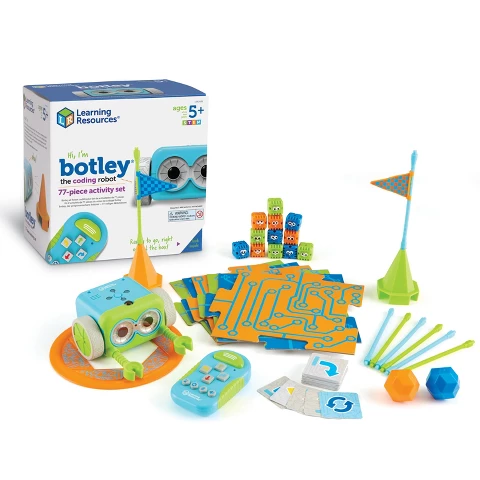
Botley Coding Robot Activity Set — 77 Pieces
A screen-free introduction to giving a robot instructions and fixing mistakes.

Gift ages 6–12
Makeblock mBot Robot Kit
An entry-level build-and-code robot for a child who wants to see the electronics.

Gift ages 8–12
Makeblock mBot2 Coding Robot
A more capable coding project for children ready to explore sensors as well as movement.
Gift ages 8–12
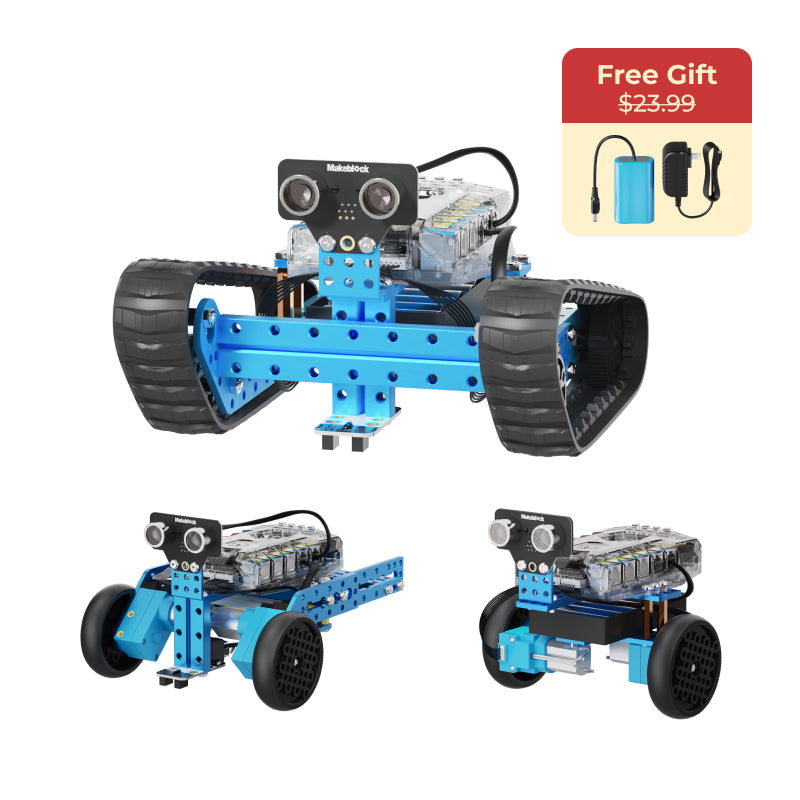
Makeblock mBot Ranger 3-in-1 Robot Kit
A mechanical step up for a child who wants to rebuild the robot itself.