
Toy buying guide
LeapFrog 2-in-1 LeapTop Touch
Toy laptop with swiveling screen, letter keyboard and five learning modes.
Check price at Amazon for LeapFrog 2-in-1 LeapTop Touch (opens in a new tab) ↗This page contains affiliate links. We may earn a commission if you purchase through these links, at no additional cost to you. How affiliate links work.
Before you buy
- Listed age guidance
- 2+ — check the current packaging
- In the box
- Toy laptop with swiveling screen, letter keyboard and five learning modes.
- Getting started
- Batteries required; check whether included. No assembly required
Budget bands are estimates. Confirm the current price, exact edition, seller, and delivery date at checkout. Our last listing check was ; this is not a live stock update.
Read the verdict and alternativesOur take
Computer pretend play with a fixed set of activities
The screen turns between keyboard and touch play. Letter, number, message, game and music modes give a child different prompts to try. We would buy it for the role of having a pretend computer, rather than expecting an open-ended tablet or treating its activities as evidence of a particular learning outcome.
- Best fit
- A child aged two to five wants to imitate computer use.
- Skip it if
- The gift is meant to avoid screens and electronic sound.
Consider these alternatives
mushie Stacking Cups →
Compact storage and open-ended nesting matter most.
Melissa & Doug Pattern Blocks and Boards →
The child likes a picture prompt but may also want to invent a mosaic.
A closer look at the trade-offs
The trade-off
Stacking cups offer physical exploration without electronic prompts. Pattern Blocks and Boards offer picture-making with pieces an adult and child can discuss together. The LeapTop is the closer fit when pressing keys and responding to characters is the attraction.
Living with it & the first play session
After the wrapping comes off
It uses three AA batteries and has a volume control. The parent guide also explains the low-battery indicator, useful before assuming an activity has stopped working. Messages belong to the toy activities, not online communication.
Try one letter together, then switch to the corresponding activity in tablet mode. Let the child choose whether to repeat it or move on.
A suggested activity, not a report from a product test.
Based on published product information, not hands-on testing. How we review
Sources, facts & edition details
Edition identifier
80-600900. The item model number field on the exact-ASIN product page records 80-600900. The page's product form and available ASIN specification matched the catalog identifier. This check concerns product identity, not price or availability.
Source: Amazon ↗ (opens in a new tab), observed . This identifies a recorded edition; it does not confirm today’s seller, stock, or price.
Product references
Catalog reviewed . Buying advice reviewed . Manufacturer documentation and editorial comparison, not hands-on testing. Check the seller’s exact edition and included items.
You may also like

Gift ages 3–7
Play-Doh Candy Delight Playset
A pretend sweet shop that combines shaping, decorating, and role-play with five Play-Doh colors.
Gift ages 2–6
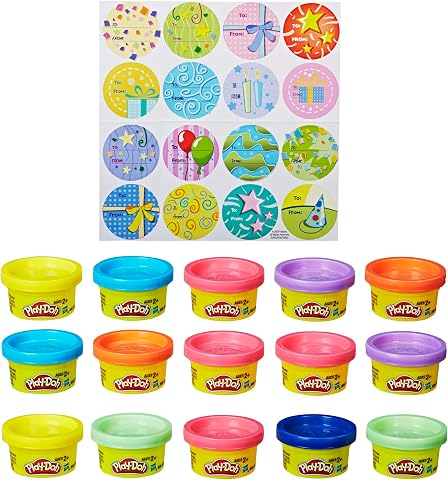
Play-Doh Party Bag 15-Pack
Fifteen small cans make this an easy creative gift, party favor, or stocking-sized activity.

Gift ages 4–12
LEGO Classic Large Creative Brick Box
A broad mix of classic bricks in a reusable tub for building whatever the child has in mind.

Gift ages 3–8
Frozen 2 Elsa Doll and Nokk Figure
Elsa and the Nokk arrive together for character play built around a memorable Frozen 2 scene.